SCREENSHOTS · SCREEN RECORDINGS
capture browser bugs
and walkthroughs
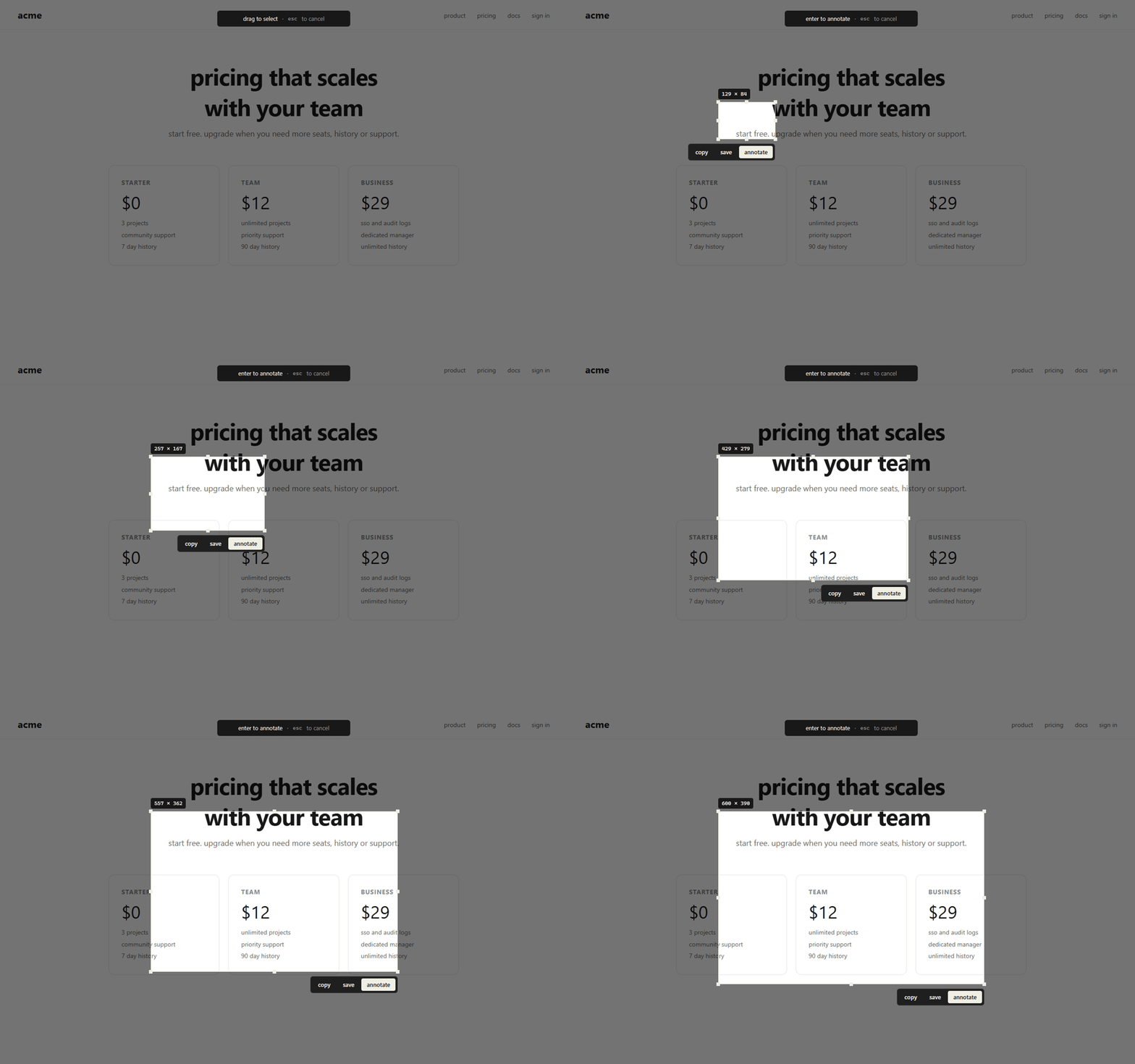
screenshot a page or record a tab or screen. annotate what matters, then find it in your searchable, on-device library.
- ⌘⇧1visible
- ⌘⇧2region
- ⌘⇧3full page
- ⌘⇧5record
EVERYTHING INCLUDED
SCREENSHOTS
capture any part of a page
Save the visible page, a selected region, the full page, or one element.
SCREEN RECORDINGS
record a tab or screen
Save a browser walkthrough with tab audio and an optional microphone.
ANNOTATIONS
show what needs attention
Add arrows, boxes, text, blur, and numbered steps before saving or sharing.
payment
card declined — try again
LOCAL LIBRARY
find captures later
Search by title or site, organize captures in folders, and clean up old files on this device.
checkout error state
shop.acme.com
pricing v2 hero
acme.com
onboarding walkthrough
app.acme.com · 02:14
your captures stay on this device
Screenshots, recordings, annotations, and tab title/URL are stored locally. Kapture never uploads them; you choose when to copy or download a capture.
- local capture and editing
- microphone only when enabled
- no automatic uploads or analytics
capture a bug or walkthrough
in seconds
view the project on GitHubfree forever for capture · annotate · record